

Checkers online

Win by capturing all of your opponent’s pieces.

Home

Monorepo

For developers

High-level map of the Checkers online repo - packages, HTTP API, auth, sockets, and local run commands.

APIJWTSocket.IOVite
Checkers board with developer code motifs

Repository layout

One workspace: shared Russian draughts engine, Express API + Socket.IO, Vite React web app, and a Chrome extension.

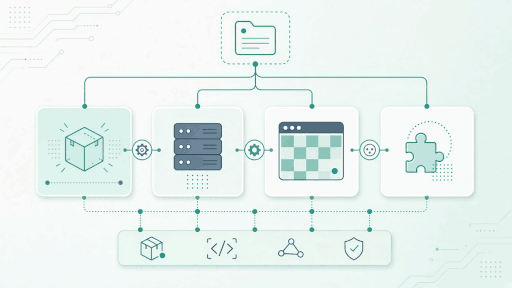
Monorepo stack diagram: shared, server, web, extension
  • packages/shared

    Russian draughts engine, shared types, SOCKET_EVENTS, bot logic.

  • apps/server

    Express + Sequelize + Socket.IO + JWT on port 4601.

  • apps/web

    Vite + React + Tailwind + Redux - this site.

  • apps/extension

    Chrome extension popup + background, same API.

API

In dev: relative /api (Next rewrites → :4601). Production: same-origin https://checkers.happyvials.com. Extension API_BASE matches that origin.

  • POST /api/auth/guest
  • POST /api/auth/register | login | bind | refresh
  • GET /api/me · PATCH /api/me
  • POST /api/games/bot | friend · GET /api/games/active
  • Shop · history · leaderboard

Auth

Guest-first JWT flow. Access + refresh tokens; bind upgrades a guest into a registered account.

  • Auto guest on first visit (POST /api/auth/guest)
  • Register / login / bind / refresh
  • Socket handshake carries the JWT
  • PATCH /api/me for nickname & avatar

Sockets

Realtime matchmaking and moves over Socket.IO. Auth via JWT in the handshake - no secrets in this overview.

  • matchmaking:join / leave / found
  • game:join / move / state
  • game:end / draw / resign

Run locally

From the monorepo root. Build shared first, then start server and web (MySQL via docker compose if needed).

  1. 1. Build shared package
    npm run build:shared
  2. 2. API + sockets
    npm run dev:server
  3. 3. Vite web app
    npm run dev:web
  4. 4. Chrome extension
    npm run dev:extension
  5. 5. Seed database
    npm run db:seed
  6. 6. Unit + smoke
    npm test && npm run smoke:server

Extension install steps: see Extension